
Snow season, planned before the first flake.
Vane builds every truck's route in the fall. When a storm is coming, it plans the night for you: who drives, the order, when to roll. You press Go, and each driver's phone says where to plow first, second and third.
For driveways and commercial lots. An add-on you switch on; it changes nothing else in Vane.

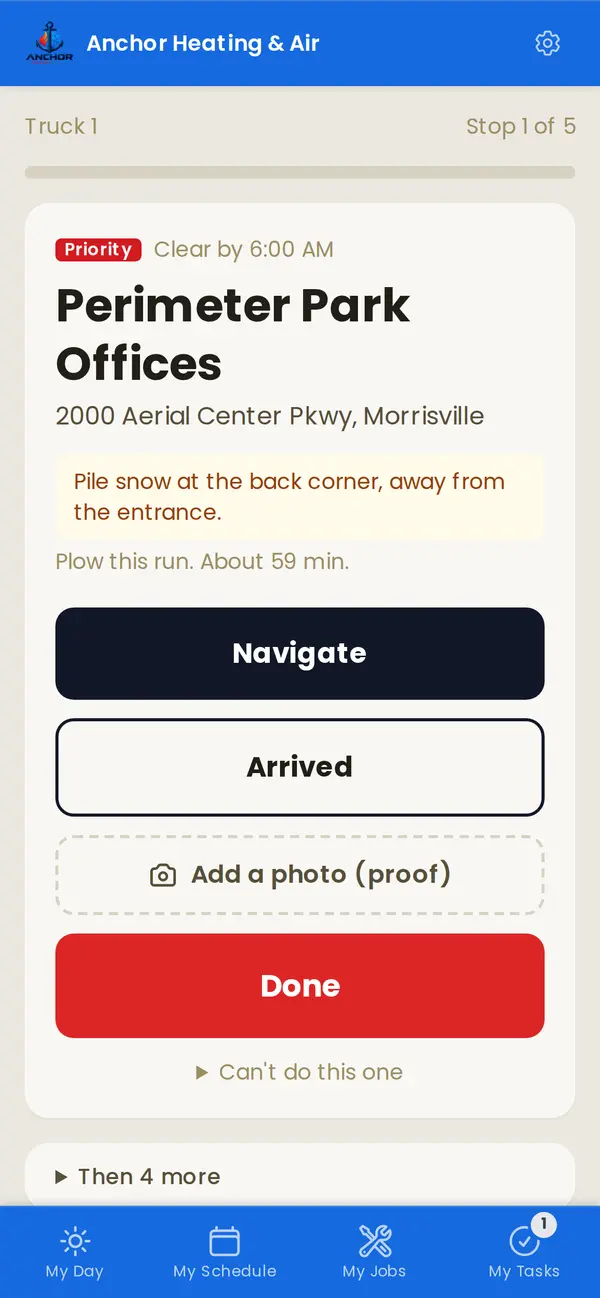
From our live demo: tonight's storm, planned and waiting for Go.
It's 2 a.m. and it's coming down.
- The group text starts. Who's up, who's got which truck, who takes the bank.
- The order is a guess. Nobody's working out the drive between lots at that hour, so trucks cross town twice.
- The lots that matter run late. The store opens at 7 and the plow shows up at 7:20.
- Nothing's written down. Then someone slips in a parking lot, and there's no record of when it was cleared.
Plan it once. Run it every storm.
The routes are the plan. A storm doesn't create them, it runs them.
-
1In the fall
Build the season's routes
Put each customer on a tier, with what they get (plow, salt, walks) and notes like the gate code or where not to pile snow. Vane proposes a route for each truck: nearby stops together, the top tier first, the Priority lots shared out, the shortest drive between them. Drag to adjust and the times update.

-
2The evening before
Vane plans the night
When the forecast crosses your trigger, you get a heads-up. Vane picks when the crews roll, lines up every truck's run, texts each driver the time and their first stop, and shows who's confirmed. If someone can't make it, move their stops to another truck and every time updates before anyone leaves.

-
3When it's time
You press Go
A person makes the call, because forecasts miss. Press Go and every driver gets the word at once. Not yet? Push it back half an hour, or call it off, from the same screen on your phone.

-
4All night
Drivers follow the phone
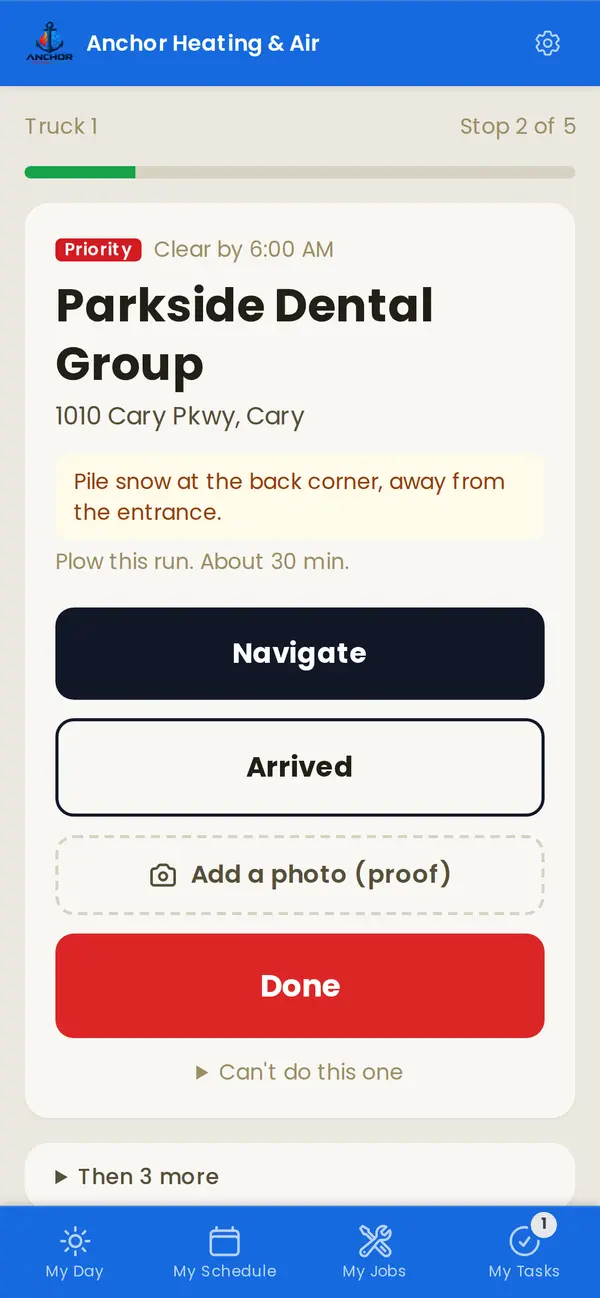
One screen, one stop at a time: where, how far, and the notes. Navigate, Arrived, Done with a photo, then it moves to the next. You watch every lot go from waiting to done, and Vane warns you early if a truck is going to miss a deadline.
-
5After the storm
Bill from what got done
Per-push and per-inch invoices are drafted from the stops actually marked done, ready for you to check and send. Seasonal contracts just keep billing as plans. It all flows to QuickBooks like any other invoice.

Screens from our live demo. Snow removal comes with Vane when it launches this winter.
Scheduling that works the night out for you.
Give each tier a cleared-by time. Vane times the whole fleet together: when to roll, who finishes what by when, and what's at risk, before anyone's out of bed.
- One start for the whole crew.Vane suggests rolling when the snow is forecast to stop, or earlier if your first deadlines can't wait. Change it right up until you press Go.
- Salt follows the plow.The salt truck reaches each lot just after it's plowed, never before, so no salt goes down under snow that's about to be pushed off.
- Every deadline, checked.Each truck shows when it finishes each tier. If one's going to run late, you see by how many minutes, and which stop to hand to another truck.
- The busy lots get shared.Routes split your Priority lots across the trucks, so no one's buried while someone else waits for driveways.
- It learns your lots.Real times from every storm replace the guesses, separately for plowing, salting and walks.
Drawing of a storm Vane planned on our demo, times as it worked them out.
Every push, on record
Snow work runs on slip-and-fall claims. Each stop keeps when the truck arrived, when it was done, who plowed it and a photo.
- Proof for every property, exportable when a claim comes in.
- An optional "your lot is clear" text to the customer, with the photo and the time. Off until you turn it on for them.
 6:41 AM · Truck 1 · Mike
Lawns in summer, lots in winter
Plenty of shops mow all summer and plow all winter, for the same customers with the same crew. In Vane it's one customer list, one crew app, one set of books all year.
- An add-on you choose. Off unless you switch it on, and only the customers you enrol are part of it.
- It stays out of the way. Storm runs don't touch your regular appointments, reminders or reports.
Plow this winter with Vane.
We're building snow mode with operators this season. Sign up, tell us about your routes, and founders are first in line.
Hold your spot at $169 a month.
Your first 12 months are $169 instead of $199, from launch on November 15. No card today. We'll be in touch to plan moving your data over.
Not ready yet? Look around the live demo first.