
Know which projects make money.
Quotes, project boards, billable time, invoices and profit in one place your studio shares. Every project shows what it has earned and what it has cost. One price for the whole team, not a price per seat.
$199 a month flat for 10 people. The demo opens in a new tab as the owner of a sample studio.

From our Studio demo, a sample studio called Northlight Design Co.: this month's Profit report.
Four tools, and still no answer.
- Tasks in Asana, hours in Harvest, invoices in QuickBooks. Every project gets typed in three times, and none of them talk to each other.
- Approvals live in email. "Which version did they sign off on?" means digging through a thread.
- Scope creep never gets billed. The extra round of revisions gets done, and the hours never reach an invoice.
- Nobody knows which projects made money. You find out at tax time, from a spreadsheet, if at all.
- The agency suites don't fit. They're built for 50-person agencies, priced per seat, and take weeks to learn.
How Vane runs a studio.
From the accepted quote to the last invoice, on one project page. Every screen below is the real app, from our Studio demo.
-
1
Projects on your own board
Send a quote and the client accepts it online. The work moves across a board with your columns, like Brief, Concepts, Client review, Revisions and Final files. Every card shows the client, the project, who's on it, the due date and the hours logged.

-
2
Time turns into invoice lines
Designers run a timer or log time after the fact. Each person has a billing rate, and a client can have its own. The Unbilled time card on every project adds it up, and one click puts it on an invoice. Once it's billed, it can't be billed again.


-
3
Fixed fees, billed on schedule
Most studio work is a fixed fee. Split it into a deposit, milestones and a final payment. Each step shows whether it's been invoiced or paid, and Invoice now bills the next one when you get there.

-
4
Budgets that warn you early
Give a project a budget in hours or dollars. Burn bars fill as time is logged, and you get an alert at 80% and again at 100%, while there's still time to talk to the client. Each project shows what's invoiced, collected, its cost at your team's pay rates, and the profit left over.

-
5
Hours and Profit reports
See profit by project, by client and by service, so you know which kinds of work pay. The Hours report shows billable time and the value of everything not billed yet. Utilization shows each person's billable hours against the hours they had.

-
6
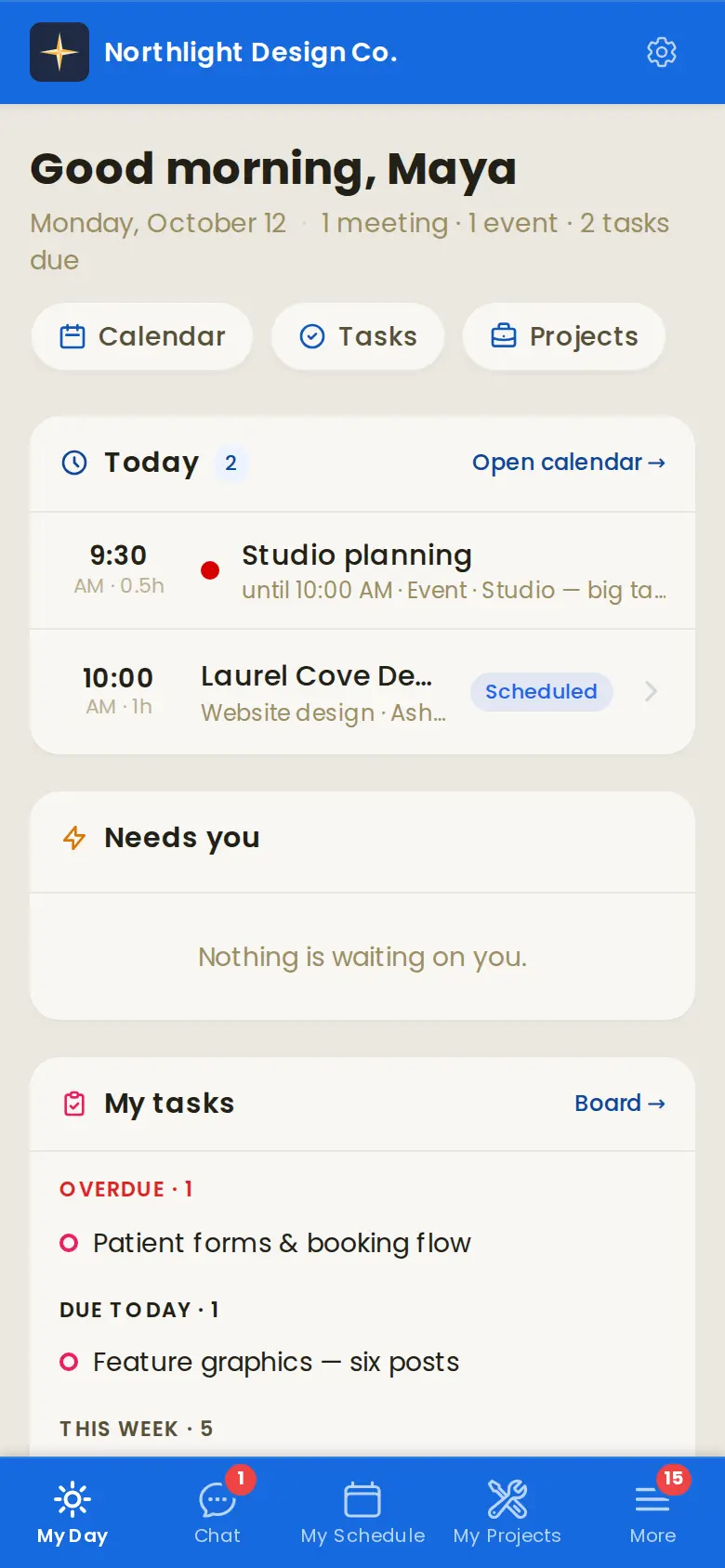
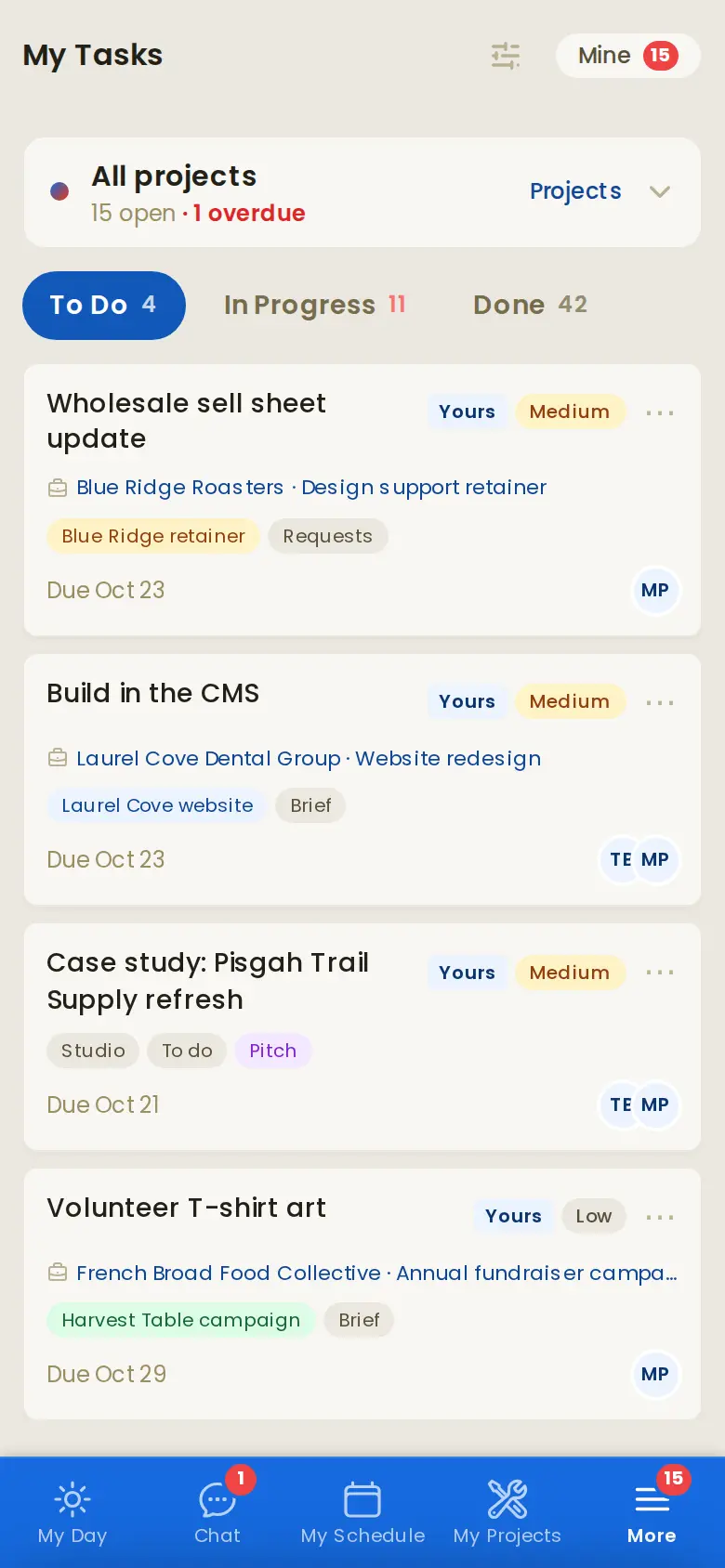
On every designer's phone
Vane installs on a phone like an app. Each designer sees their day, their tasks and the board, runs timers, and talks about a project in its own chat thread instead of a group text.
-
7
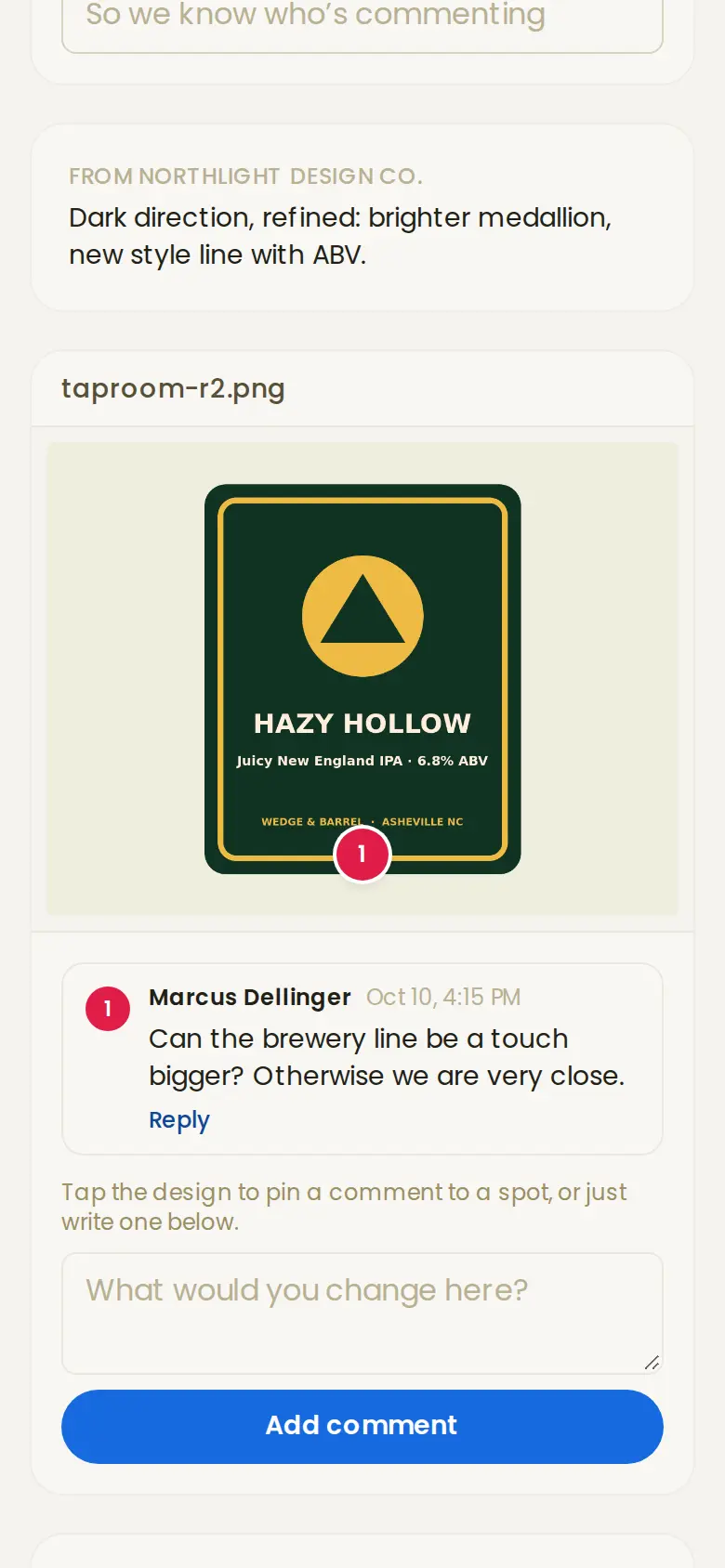
Clients approve designs on a link
Upload a round and send the client a link. No login, no account: they tap the design to pin a comment, look back at earlier rounds, and approve or ask for changes. Every round stays on the project, and the quote's included rounds are counted for you.

-
8
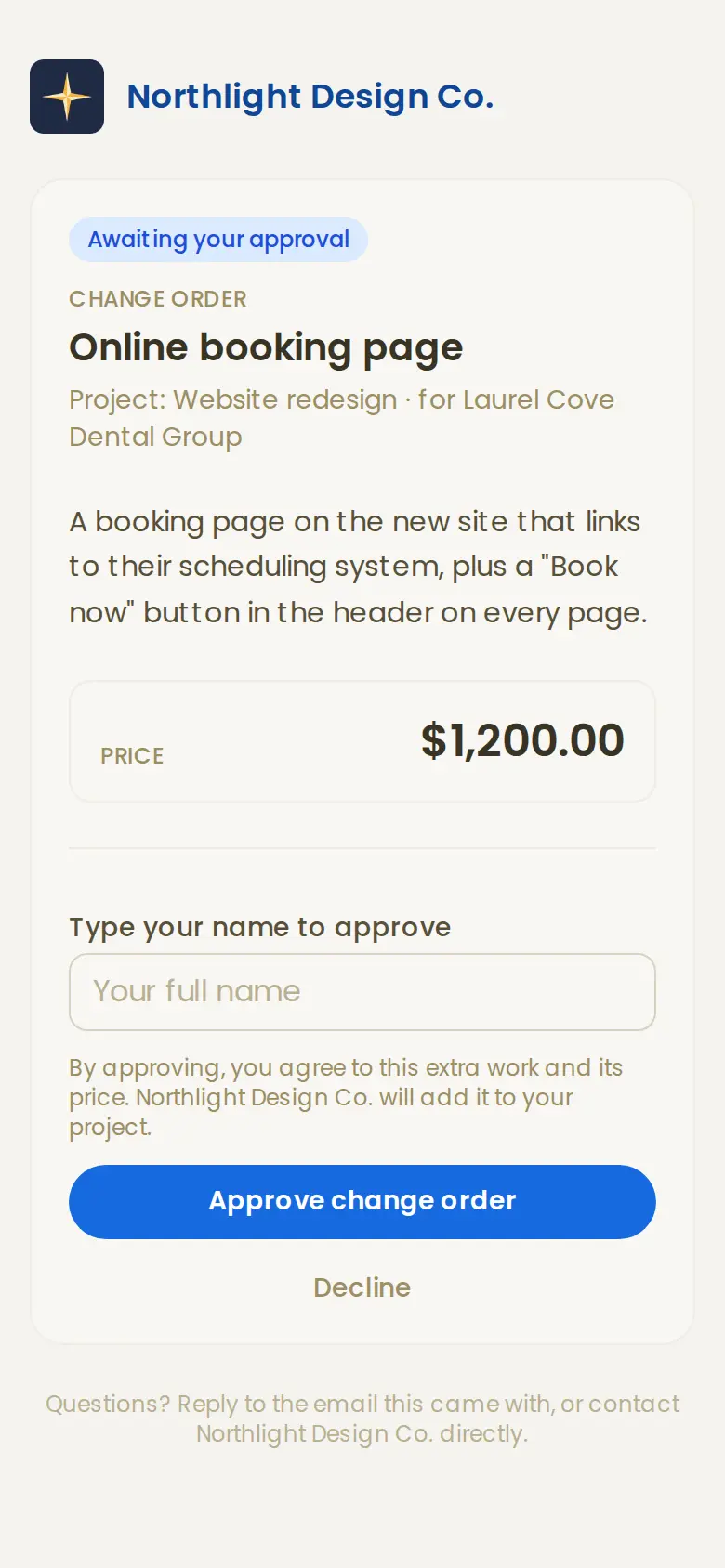
Extra work becomes a change order
When the client asks for more than the quote covered, or a fourth round of revisions, send a change order. They approve it on a link, it lands on the next invoice, and the project's budget grows with it. Scope creep gets billed.
Screens from our Studio demo, a sample studio called Northlight Design Co.
- Online paymentsClients pay invoices by card through your own Stripe account.
- QuickBooks OnlineInvoices go over, and payments recorded there come back.
- RetainersMonthly plans, billed every month.
- CalendarClient meetings and shoots, for the whole team.
- Team chatChannels, direct messages and a thread on every project.
- Your own websiteA site builder for the studio's site, with a contact form that lands in Vane.
One price for the whole studio.
Vane is $199 a month for up to 10 people, with every feature. Here's what a 10-person studio pays elsewhere.
Founder rate: sign up before November 15 and it's $169 a month for your first 12 months.
| 10 people, per month | Price | How it's priced |
|---|---|---|
| Vane Studio | $199 | Flat. 10 people included, then $50 for each 5 more. |
| Function Point | about $530–680 | Per user, by plan |
| Workamajig | about $490 | Per user |
| Scoro | about $290–570plus add-ons | Per user, by plan |
Other products' prices are approximate, from their published pricing, Oct 2026, for 10 users a month. Their plans and features differ from Vane's; check their sites for current prices.
See your studio's numbers in Vane.
Look around the Studio demo first. It's the real app, with a sample studio's month in it. When you're ready, hold your spot and we'll help you move your clients over.
Questions
Is this the same Vane as for trades?
Yes. It's one product. The Studio edition uses studio words (projects, not jobs), turns on the agency features like billable time, budgets and payment schedules, and hides the field-service ones like dispatch and drive times.
Can I import my clients?
Yes. Bring them in from a CSV or a spreadsheet, or straight from QuickBooks Online in one click. We'll help you move them over.
Do my clients need an account?
No. Clients accept quotes and pay invoices from a link in their email, without logging in.
How many people can use it?
10 people are included in the $199 a month. After that, add people in packs of 5 for $50 a month.
Hold your spot at $169 a month.
Your first 12 months are $169 instead of $199, from launch on November 15. No card today. We'll be in touch to plan moving your data over.
Not ready yet? Look around the live demo first.